Quit keying the same job into four systems.
Every module reads the same project record. The SOV already has the approved change order in it. The pay app already knows the sub's COI lapsed. The assistant on every page reads the same record you do.
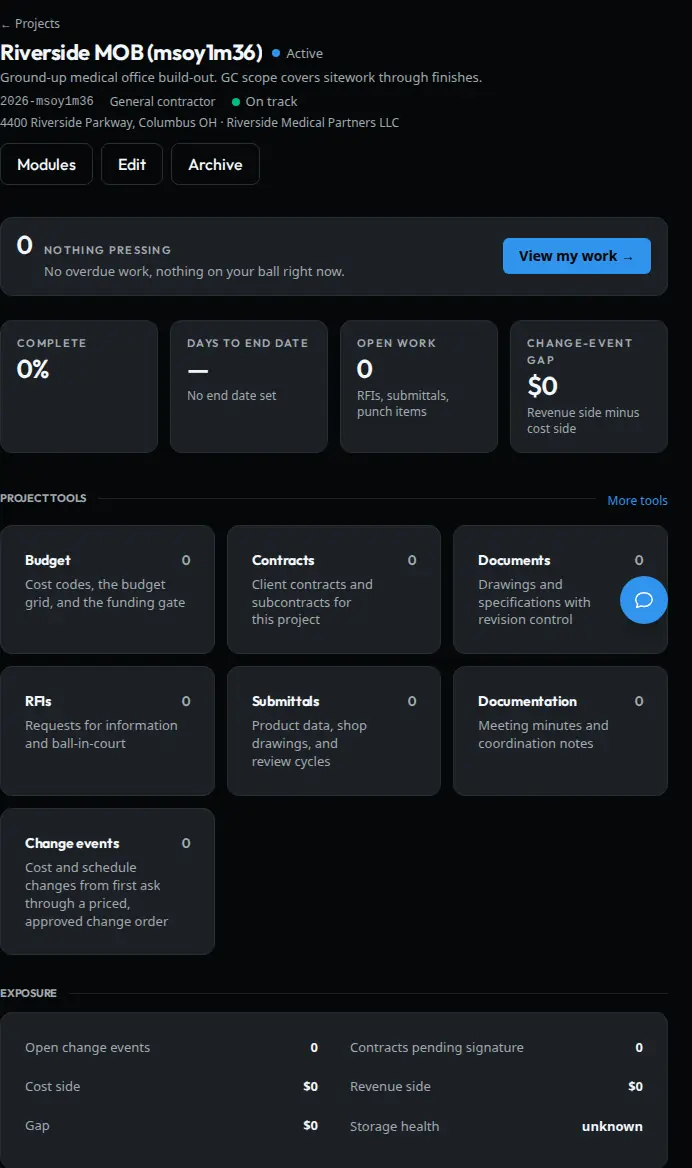
Where to start
Turn on the piece that's costing you money. Add the rest when you get to it.
One GC turns on contracts and billing because their money is stuck in retainage. A sitework outfit turns on crews and material first. Any module runs free for 30 days and shuts itself off if you do nothing.
Chat
Ask the job a question and get an answer.
- Included with every account
- Reads the job you have open
- Drafts the emails your PM never gets to
Project Management
From award to final waiver.
- Contract, SOV, change orders
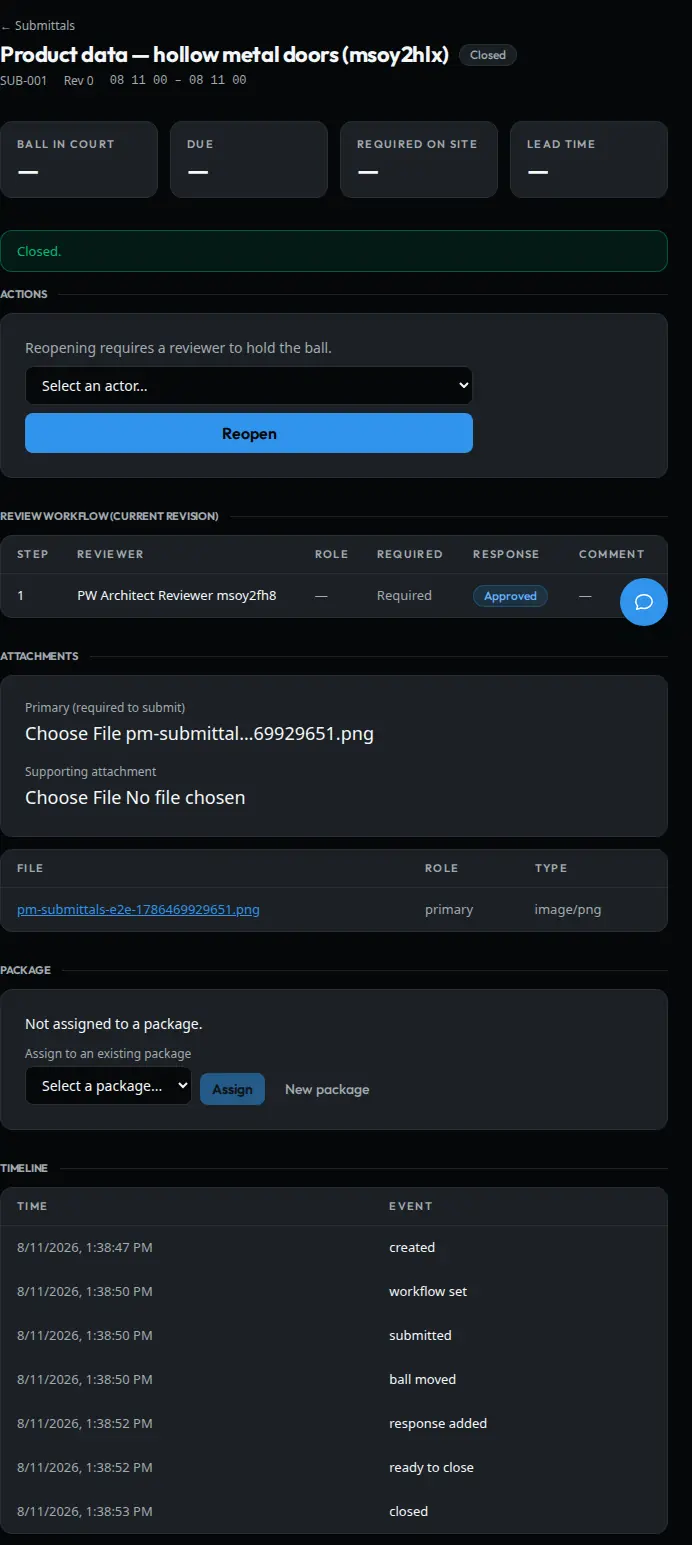
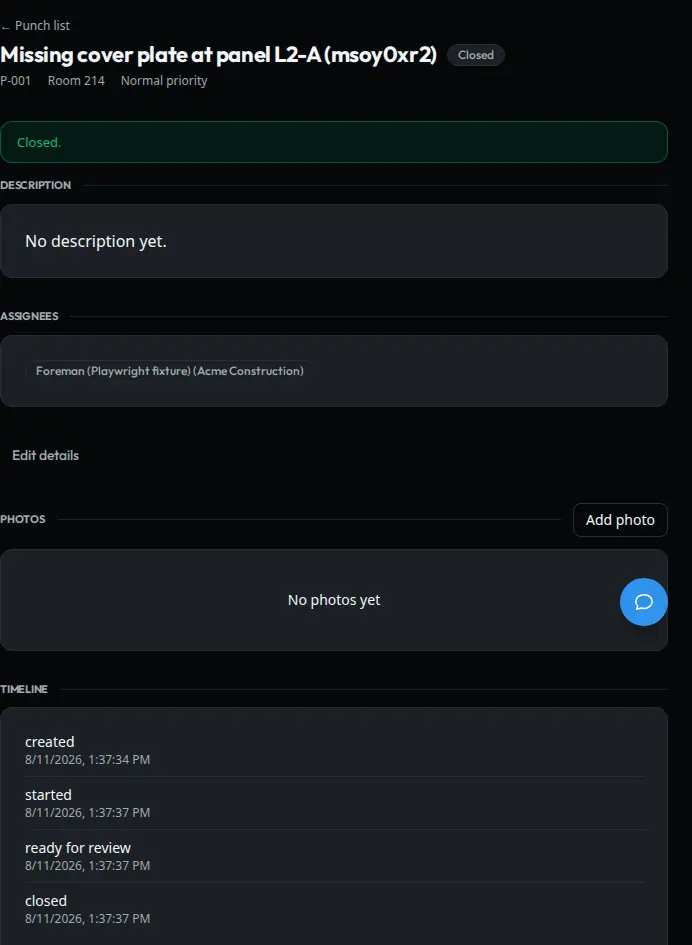
- RFIs, submittals, punch, meeting minutes
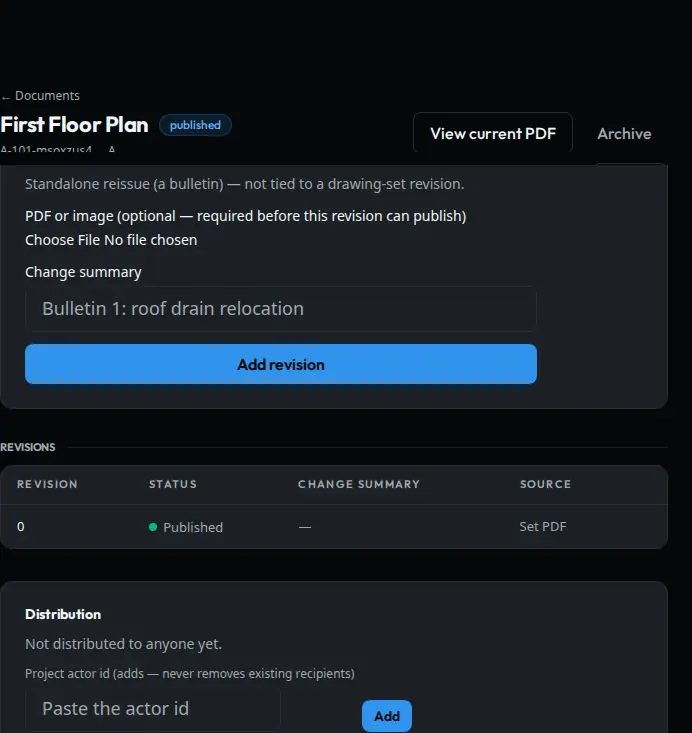
- Drawings and specs, with markup
Accounting
No invoice posts on one person's say-so.
- Invoices come in and get coded to the job
- Two people sign off before anything posts
- Your books stay in QuickBooks
Field Daily
Know where every crew is going tomorrow.
- Crew scheduling and dispatch
- Daily reports from the field
- Tied to the project record
Epic Inventory
Know what material is on which job.
- Material tracked by job
- Bill of materials
- Compliance paper in one place
EagleEye
See which job is bleeding before the WIP does.
- Numbers across every job
- Job-to-job comparison
- Every number shows where it came from
BidWatch
Public work worth bidding, in NC, SC and Virginia.
- Live public bid listings
- North Carolina, South Carolina, Virginia
- Filtered to jobs your outfit can bid
Field Daily is on only when that module is on for your company.
Contractors are running live jobs on it today.
Depth
The module that decides whether the job makes money.
Pay apps go out on time. Change orders get written up and billed instead of agreed to on the phone and forgotten. Every RFI carries its own history, everybody builds from the same set, and closeout stops being a scramble.
Contracts and money
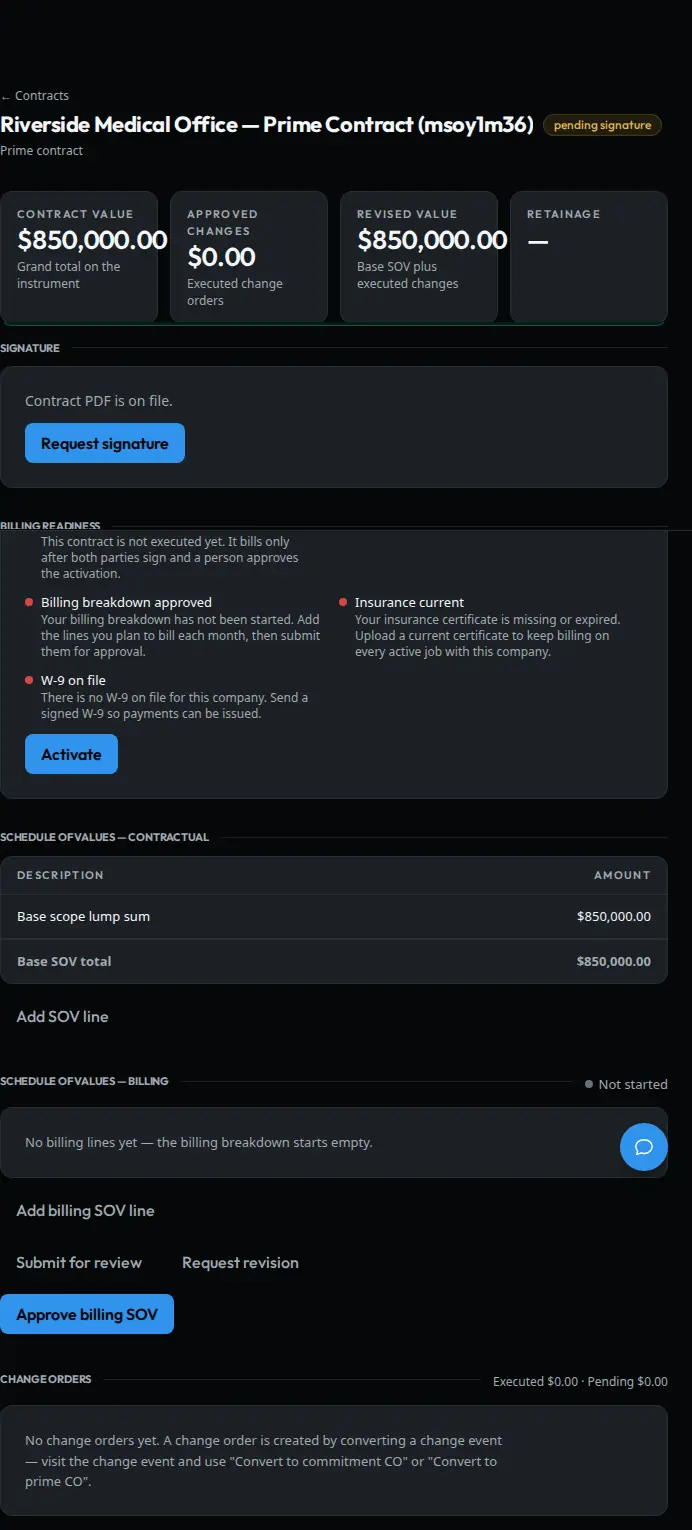
No pay app goes out with a hole in the backup.
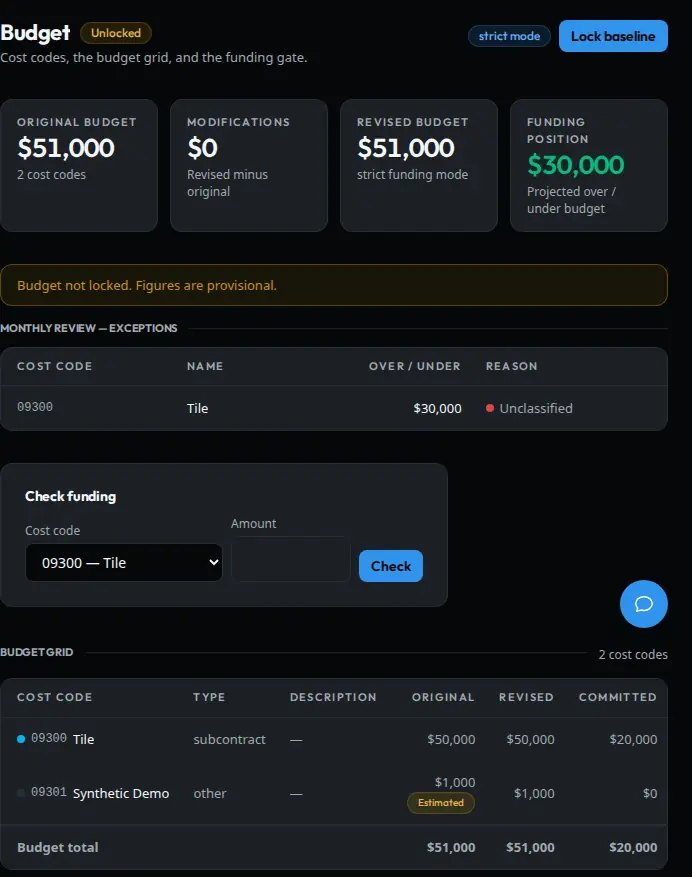
Contract value, the SOV and the billing holds sit on one screen. A pay app will not go out with a missing W-9, a lapsed COI or a billing breakdown nobody finished.
- SOV with approved change orders rolled in
- Billing holds: W-9, COI, billing breakdown
- Funding, subs and pay apps on the same contract
- Signatures collected inside the same system
The queue
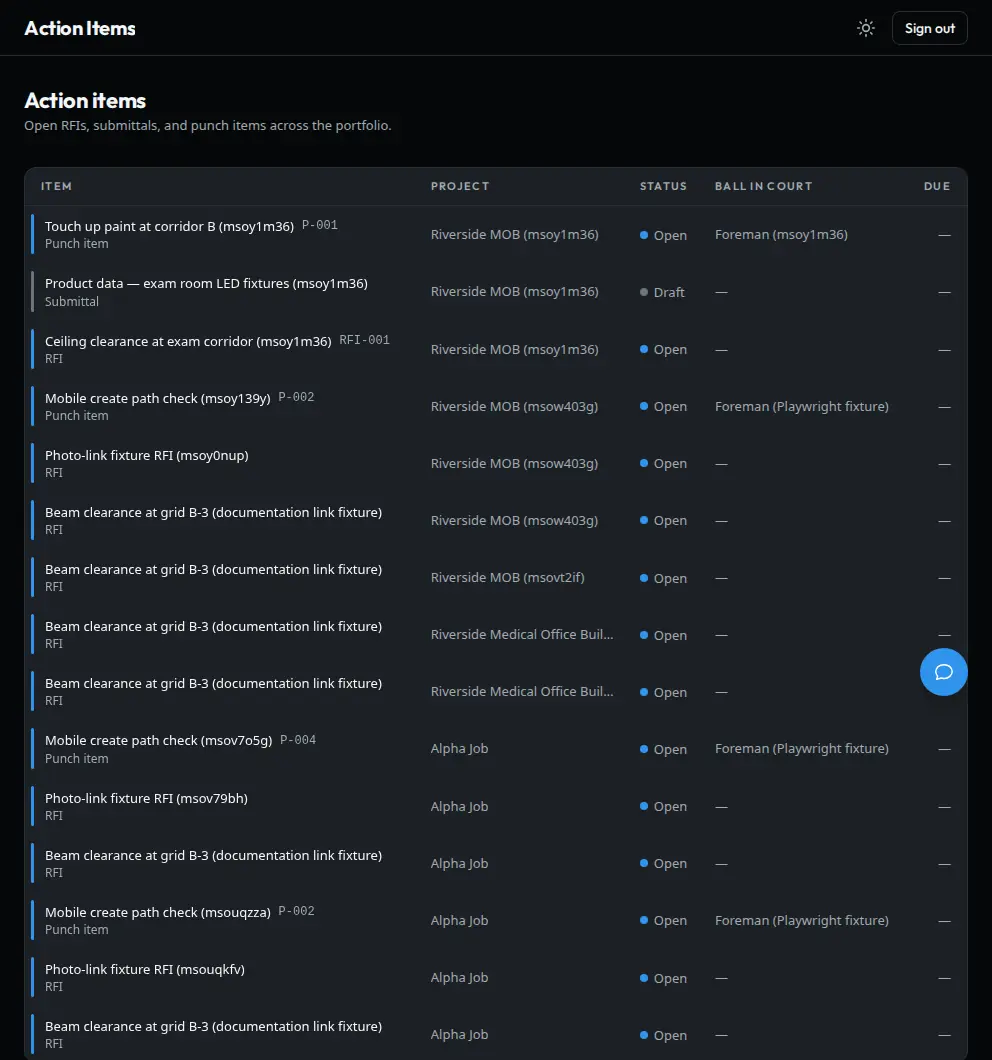
Everything holding up the job, on one list, with a name next to it.
RFIs, submittals and punch items land on one list with the ball-in-court name on the row. Your PM works the list instead of digging through six screens.
- Every open item on the job in one place
- Ball-in-court on every row
- Click the row and you're in the record
Questions
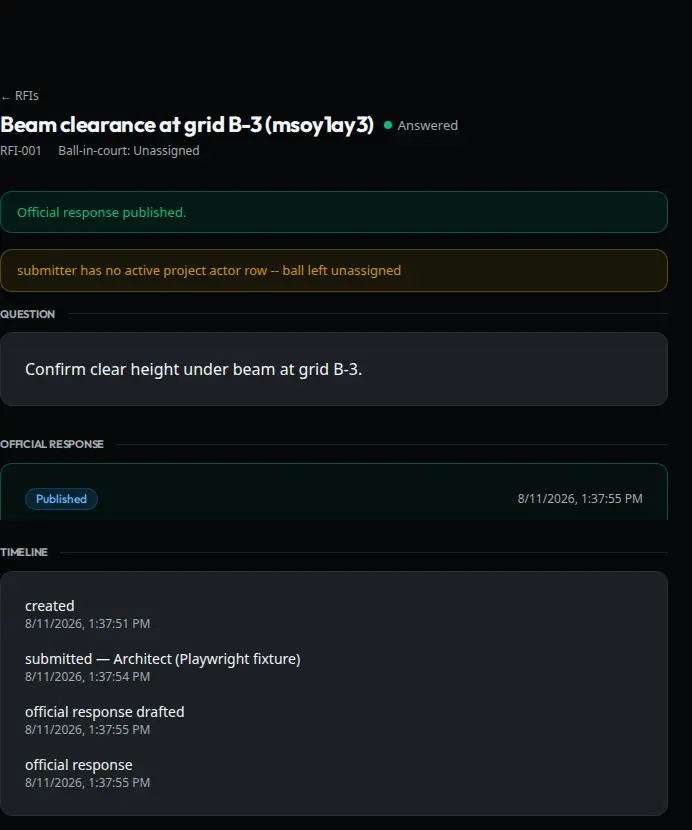
Every RFI carries its own paper trail.
The question, the answer, the dates and the sheet it came off of stay in one record. Two years from now, when the owner's attorney asks who knew what and when, the thread is still there.
- Question, response and dates in one record
- Tied to the sheet or spec section it came from
- Sits in the action queue until it's answered
Day to day
The rest of the job, tracked the same way.
Drawings
See what changed on the new sheet before you build off the old one.
Drawings and specs open in the browser on the same project record as everything else. This is the part contractors ask for by name.
Full set
Jump sheet to sheet across the whole set.
Zoom and pan
Wheel and pinch zoom, drag to pan.
Revision compare
Lay the new sheet over the old one and see what moved.
Markups
Your markups carry forward onto the next revision.
Measure
Set the scale once, then take measurements off the sheet.
Big uploads
A full set uploads in one shot.
Connections
It talks to what you already run.
QuickBooks Desktop
Your books stay in QuickBooks. Invoices land in the company file your bookkeeper already uses, so nobody keys the same job twice, and the PM sees job cost without waiting on the bookkeeper to run a report.
Microsoft Teams
Ask about a job from Teams and get the answer in Teams. Everybody signs in with their own Microsoft account and sees only what their role allows.
Who sees what
The field doesn't see the money. Your accountant never has to learn the submittal log. A sub can see their own work without seeing your margin.
Next step
Bring a job you're carrying.
We run the walkthrough on your own contract and open items, so you see what it does with your paper.